
A support lead files a ticket, attaches a screenshot, and waits. A developer writes a fix, a teammate reviews the code, CI is green, and the change ships. Then the person who reported the bug opens the app and says that still isn't right, or that the new design is wrong. Everything before that sentence was done correctly, and it still has to be done again.
The missing check was not the code review. It was a look at the running screen by the only person who already knew what "fixed" would look like: the one who reported the bug.
This post is about moving that check earlier. The reporter looks at the fix on a live preview before it ships. We cover which bugs that works for, how it works in Butterneck, and what still stays with a developer. We make Butterneck, which is built this way, so we describe its flow later. The idea works with any setup that can show the reporter a running copy of the app.
In short: The person who reported a bug is the one who can tell you whether the fix is right. Let them check it on a live preview before it ships. This works for bugs you can see on a screen you can open in the preview. Data, payments, permissions and things that only happen sometimes stay with a developer. In Butterneck, a support lead or QA teammate describes what they saw, attaches a screenshot, checks the result on the preview, and a developer decides what ships. The coding agent runs on a developer's connected computer. Butterneck does not commit, push or open a pull request, and never merges or deploys.
The reporter is the acceptance test
A pull request is good at asking "is this safe to ship?" It is a poor way to ask "is this actually fixed?", because the person who can answer that question is usually not reading the diff. The first time they see the running screen is often after the change has already gone through review, or after it has already shipped. By then, "not quite" costs another full loop.
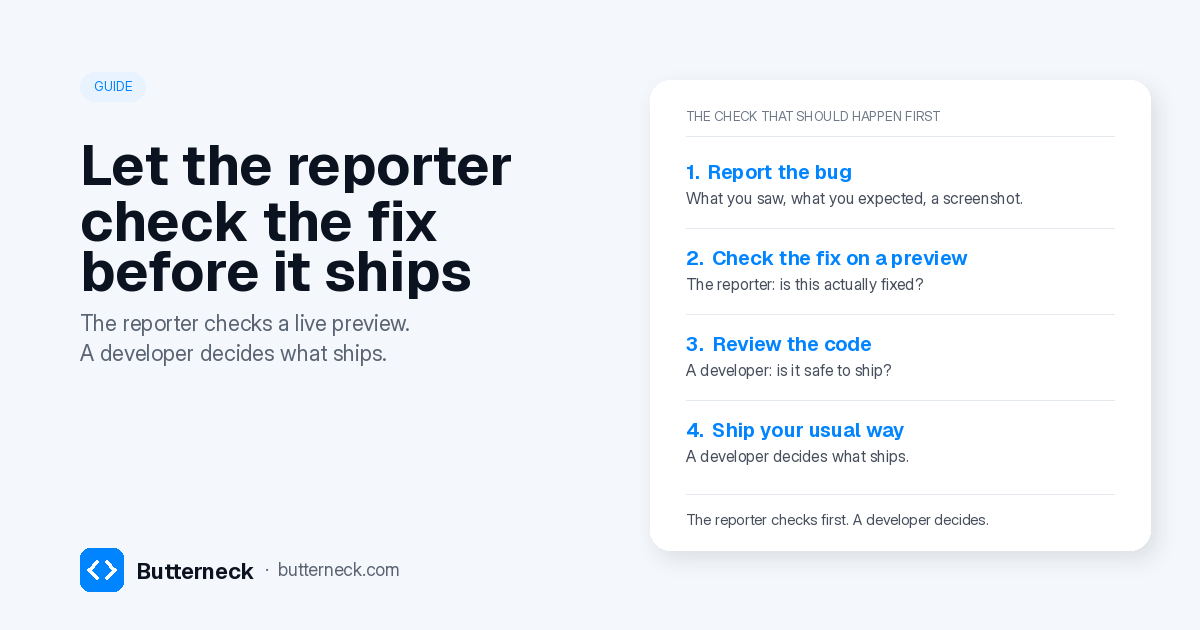
The cheaper order is the other way around. The reporter checks the fix on a running copy of the app. If it's wrong, they say so while the change is still cheap. A developer then reviews the code and decides whether it ships. The reporter's sign-off means "this is the fix I was asking for", not "ship it".
That split is the same one we described for product changes in live preview before the PR. A bug report just makes the first question more obvious: the person who saw the problem is the acceptance test.
This is not a theoretical process. In July 2026, a Gumroad creator reported a mobile chart bug. The first fix (pull request #6053) passed human review and CI and was merged. Once it was live, the creator who reported it wrote back that the new design was wrong. The ruling that followed: "Going fwd get confirmation from jordi before merging." The next version (pull request #6076) was merged a minute after the reporter replied "Yeah super clean, I like it 👍", as Gumclaw's write-up records. Gumroad's flow still opens pull requests and ships from there. The useful change was who had to look at the running fix before the second version shipped: the person who reported the bug.
Which bugs fit, and which don't
Butterneck works for bugs you can see on a screen you can open in the preview: a broken link, a cut-off label, a wrong heading, a total that is wrong on that page. The reporter can look at the same screen after the fix and say whether the problem is gone.
It is not the right starting point when the cause is not on that screen:
- Login, permissions, and anything about who can see what.
- Billing, prices that are charged (not just displayed), and payment flows.
- Data from another system, database changes, or deleting data.
- Something that only happens sometimes, or only for some accounts.
- Secrets, API keys, and anything legal or compliance-related.
Those go to a developer from the start. We keep a short list in how to write a change request for an AI coding agent.
A visual bug can still be the wrong kind of request. Plotly's engineering team found bug fixes "have not been a good fit" for designers working with an LLM: a text box border that looked too thin was really being cut off, and the right fix was the spacing around it (Plotly, October 2025). If the fix isn't obvious from looking, hand it to a developer.
If your team wants this written down, start from the AI change request policy template.
How it works in Butterneck
Butterneck is built around this order: the reporter checks the fix on a live preview, then a developer decides. A support lead or QA teammate can do the check without a repository or a coding-tool seat.
- The preview is a running copy of the app on a developer's connected computer. A small connector, the bridge, runs on a computer that already has the project. The running app gets a share link. Nothing is deployed to show the preview.
- The report is written on that preview. The person opens the screen with the bug, describes what they saw, what they expected and where, and attaches a screenshot. Each request also carries the page they have open, so the coding agent starts from that screen.
- The fix is made on a developer's connected computer. The coding assistant already signed in there edits the project. The result shows up on the same preview, and the reporter can say what's still wrong until the screen looks right.
- Each connected computer starts with a chosen list of people who can send requests. Opening the preview and sending requests are separate. "Anyone with the link" is a setting you turn on.
- A developer decides what ships. Butterneck does not commit, push or open a pull request, and never merges or deploys. The developer reads the conversation, reviews the change in their own tools, and publishes it the way the team already does, or drops it.
See it before you set anything up: create a free account and try a request on a sample shop before connecting a computer. On your own project, the edit runs on a developer's connected computer. Your team still decides what goes live.
What stays with engineering
The reporter's check does not replace a developer. It narrows what the developer has to look at.
A developer still:
- Reviews the code, including shared components, tests, and anything the reporter can't see
- Handles the bugs that don't belong on a preview, listed above
- Decides whether the change ships, and ships it the way the team already does
- Runs a QA pass on a production-like build when that's what the change needs, using your staging environment or branch preview
For why we keep a developer at the last step, read human-in-the-loop AI coding. The reporter's sign-off is "this is fixed", not "ship it".
FAQ
Who should check the fix, the reporter or QA?
The person who reported the bug, if they can open the preview and see the same screen. They already know what "fixed" looks like. A QA pass on a staging environment or branch preview is a different check, and it is still the right one for a production-like build. The two checks don't replace each other.
What if the reporter is a customer, not someone on the team?
Then a support lead or teammate who can reproduce the bug checks the preview. Each connected computer starts with a chosen list of people who can send requests; a customer is not on that list unless you add them. The customer's later reply in your usual support thread can still matter, but the cheap check is the one done on the preview before a developer decides what ships.
Does this replace a QA pass or a staging environment?
No. The preview is for "is this the bug I reported, and is it gone?" on a running copy of the app. Load tests, a full QA pass, or anything that needs a production-like build still belong on your staging environment or branch preview.
What if the first fix is still wrong?
Say exactly what's still wrong. In Butterneck you keep writing on the same preview until the screen is right. A turn can be stopped, and that turn's file changes are usually rolled back; if the rollback can't be completed, the chat says so. Nothing goes live until a developer publishes it.
Does Butterneck ship the fix or open a pull request?
No. Butterneck never commits, pushes, opens a pull request, merges or deploys. A developer reviews the change and publishes it the way the team already does, which can include a pull request, or they drop it.
Can I use this for bugs that aren't visible on one screen?
No. If the cause isn't on a screen you can open in the preview (data from another system, payments, permissions, something that only happens sometimes), leave it to a developer. See what to leave to a developer.
How should I write the bug as a request?
Write what you see, what you expected and where, and attach a screenshot. The five-line template in how to write a change request for an AI coding agent works for this: the "Now" line is the bug, the "Want" line is what you expected, and the "Check" line is how you'll know it's fixed.
Try it
Book a 30-minute demo and bring a real on-screen bug your team has been waiting on. We will run it on a live copy. Or see pricing and try a request on the sample shop before connecting a computer.