
A PM asks for a small change: shorter copy on the pricing page, a clearer empty state, a different button label. A developer makes it, opens a pull request, a teammate reviews the code, it merges, and a preview or staging build goes up. Then the PM looks at it and says, "That's not quite what I meant."
Everything before that sentence was done correctly, and it still has to be done again. The code review checked the code. Nobody had checked the thing the PM actually cared about, because there was nothing for the PM to look at until the pull request existed.
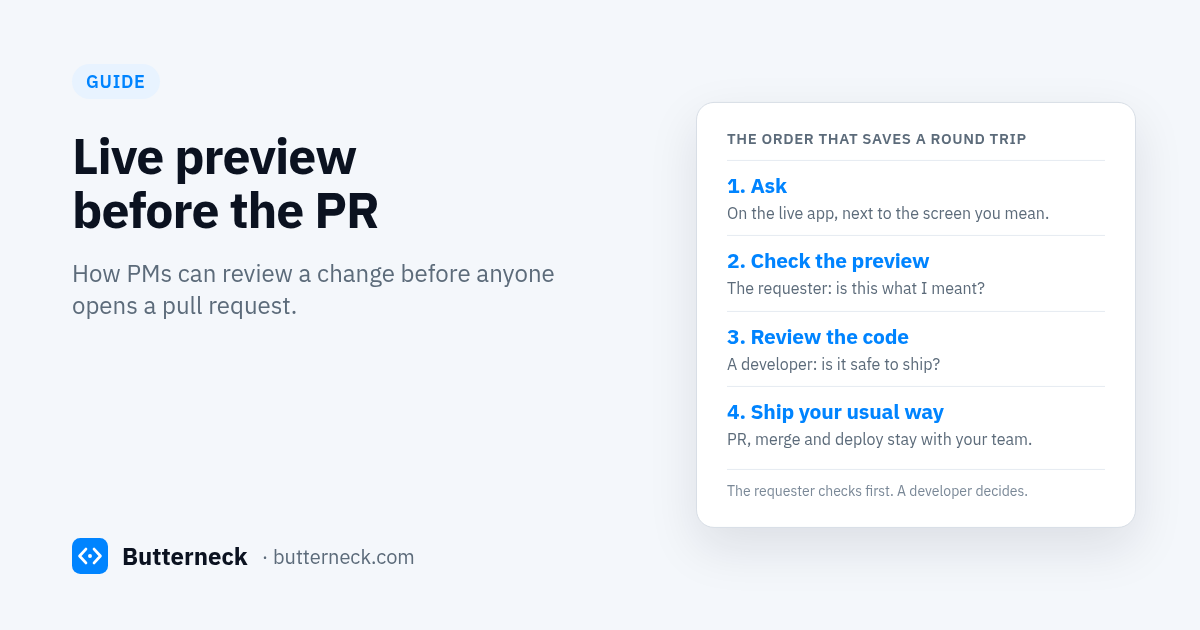
This post is about moving that check earlier: the person who asked looks at the change on a live preview before anyone opens a pull request. We cover why it helps the PM and developer handoff, what to check on the preview, who decides what, and how it compares with PR preview environments. We make Butterneck, which works this way, so we describe its flow at the end. The checklist works with any setup.
What "live preview before the PR" means
A live preview before the PR is a running copy of the app with the change in it, opened by the person who asked for the change, before a branch is pushed for review. The requester confirms "this is what I meant" on the real screen. Code review comes after, on a change that already does the right thing.
It is not a replacement for code review. It is a second check, by a different person, about a different question.
Two questions, two reviewers
Every product change has to pass two questions:
- Is this what was asked for? The words, the layout, the behaviour on the screen the requester had in mind.
- Is this safe to ship? The code, the tests, the parts of the app the requester never sees.
A pull request is very good at the second question. It shows a diff to someone who can read code. It is poor at the first one, because the person who can answer it, the requester, usually isn't reading diffs, and a diff of a CSS class or a translation file doesn't show them what the page looks like.
When the first question is only asked after the PR, every "not quite" costs a full loop: change the code, push, wait for review again, wait for the build again. When it is asked first, on a preview, the requester can say "shorter" or "move it above the form" while the change is still cheap, and the pull request carries a change that the requester already agreed to.
Why it matters for the PM and developer handoff
The slow part of a small change is rarely the coding. It is the handoff: the request gets typed into a ticket, a developer interprets it, the PM sees the result days later, and the round trip starts again. A preview before the PR shortens that loop in a few ways.
- The request gets a referent. "This button" means something when the requester is looking at the page. A ticket that says "the CTA on pricing" often doesn't.
- Disagreement shows up early. "I meant the other heading" is a quick fix on a preview and a new review cycle after a merge.
- The developer's review gets narrower. If the requester has already signed off on the result, the developer can spend review time on the code, not on guessing what the PM wanted.
- The PR description writes itself. "Requested by the PM, checked on the preview" is a better summary than a developer's paraphrase of a Slack thread.
How PR preview environments work, and what they need
Preview environments are not new. Most hosting and CI tools offer them, and they are useful. They are usually tied to a pull request or a branch.
- Netlify's Deploy Previews are built automatically when you "open pull / merge requests in a connected site repository", and the preview URL follows the pull request number. Netlify also builds a Deploy Preview when one of its Agent Runners makes a file change.
- GitLab's review apps are "temporary testing environments that are created automatically for each branch or merge request". Its prerequisites include CI/CD pipelines and that you "set up the infrastructure to host and deploy the review apps".
Both are good at what they do: a stable URL per branch that stakeholders can open. The catch for small product changes is the order of events. A developer has already interpreted the request, written the code, committed it, pushed it and waited for a build before the requester sees anything. The preview arrives after the handoff, not during it.
| Preview before the PR | PR or branch preview environment | |
|---|---|---|
| When it exists | While the change is being made | After a branch is pushed or a pull request is opened |
| What it needs | A running copy of the app the requester can open | A connected repo, a build or CI pipeline, and somewhere to deploy |
| Who looks first | The person who asked | Usually the code reviewer, then the requester |
| Cost of "not quite" | Ask again on the same preview | Another commit, push, build and review |
| Best for | Small, visual, wording and behaviour changes | QA on a branch, longer-lived review, anything that needs a full build |
They also work together. A change can be checked on a live preview first and still go through your normal pull request and branch preview afterwards.
What to check on a preview
The requester doesn't need to know how the code works. They need a short list, and the habit of using it every time. This one fits on a sticky note.
The change itself
- It is the change that was asked for, on the screen it was asked from.
- The exact wording is right, including punctuation and capitalisation.
- Spacing and alignment look right next to the elements around it.
The states around it
- Empty, loading and error states still make sense. Try the form with nothing in it.
- A narrow window or a phone-sized width still works.
- Long text doesn't break the layout. Try a long name or a long email address.
The rest of the page
- Nothing else on the page moved or changed.
- Links and buttons near the change still go where they did.
- If the same text appears on another page, check that page too, or ask the developer whether it should change there as well.
The data
- The preview uses test data, not real customer data.
- If the change depends on data, such as a plan name or a price, check with the values you expect in production.
When the change looks right, the requester says so in writing, in the same place the request was made. "Checked on the preview: the heading and the button are right" is enough. If something is off, they ask again on the same preview instead of starting a new thread.
For writing the request in the first place, use the five-line template in how to write a change request for an AI coding agent. Its Check line is the requester's own test for the preview.
Who decides what
A preview before the PR works only if everyone knows which decision is theirs.
| Decision | Who makes it |
|---|---|
| Is this what I asked for? | The requester, on the preview |
| Is the code right, beyond this one screen? | A developer |
| Does it ship, and how? | A developer, using the team's normal process |
| Should this kind of change go through this flow at all? | The engineering lead, in your team's policy |
The requester's sign-off is necessary, not sufficient. A developer still checks what the requester can't see: shared components, translations, tests, anything near sign-in, billing or data. And the developer decides whether the change ships at all. If your team wants this written down, our AI change request policy template has sections on who reviews and decides what ships, and on how previews are checked.
How Butterneck does a preview before the PR
Butterneck is built around this order: the requester checks on a live preview, then a developer decides. We checked each point below against the product code.
- The preview is the app running on a developer's computer. A small connector, the bridge, runs on a computer that already has the project. The running app gets a share link. Preview traffic is relayed through Butterneck's server to that computer, so nothing is deployed to show it, and the dev server's live-reload connection passes through, so changes appear on the open preview.
- The chat is on the preview. The requester types the change next to the screen they mean. Each request carries the page URL and route they have open, so the coding agent starts from that screen. They can attach screenshots or files.
- The change is made on the developer's computer. The coding assistant already signed in there (Cursor, Claude Code or Antigravity) edits the connected project folder. It sends code context to its own AI provider, as it does in normal use, and chat messages go through Butterneck's server.
- AI replies carry a confidence label. When the agent changes something, its reply is tagged from very low to very high, which tells the requester and the developer where to look harder.
- Refine, or stop and undo. The requester keeps asking on the same preview until it's right. A run can be stopped, and that run's file changes are reverted.
- You choose who can ask. Opening the preview and sending requests are separate. Requests can be limited to a list of people, or open to anyone with the link, and someone without access can ask for it.
- A developer can reply without starting the agent. A developer's reply is saved in the chat and doesn't start a run or change any files.
- Jira works the same way. Add the label
butterneckto a ticket and assign it to a teammate whose Jira account is mapped to a computer that has the project. A private copy opens, named after the ticket, and a short note with the preview link is posted back. See the Jira integration. - There is no Butterneck pull request. Butterneck never opens a pull request, never merges and never deploys. The developer reads the conversation, checks the change in their own tools, and publishes it the way the team already does, which can include your normal pull request and branch preview. Or they drop it.
On secrets: .env files are on the agent's ignore list. That's a guardrail, an instruction to the agent, not a hard block, so keep production secrets off the computer the previews run on. More detail on the setup in share your local app with stakeholders without deploying it.
When a PR preview is the better tool
A live preview before the PR is not the answer to everything.
- For QA sign-off, load tests or anything that needs a production-like build, use your branch preview or staging environment.
- For changes a requester can't judge by looking, such as a migration, a permissions rule or a performance fix, the code review is the review.
- If your team wants an agent to open pull requests on its own, Butterneck is not that tool.
The point is the order. For small product changes, let the person who asked check first, on the real app, and let the pull request carry a change they already agreed to.
FAQ
What is a live preview before the PR?
A running copy of the app with the change in it, checked by the person who asked for the change before a pull request is opened. It answers "is this what I meant?" so that code review can focus on "is this safe to ship?".
How is this different from a PR preview environment?
PR or branch preview environments are built after a branch is pushed or a pull request is opened, usually through a CI pipeline and a deploy. A preview before the PR exists while the change is being made, so the requester can ask for adjustments before anyone reviews the code.
Does a preview before the PR replace code review?
No. The requester checks the result on the screen. A developer still reviews the code and decides whether and how it ships.
What should a PM check on a preview?
The exact change on the screen it was asked from, the wording, empty, loading and error states, a narrow window, long text, the rest of the page, and that the preview uses test data. Then sign off in writing where the request was made.
Who decides whether the change ships?
A developer, using the team's normal release process. The requester's sign-off means "this is what I asked for", not "ship it".
Does Butterneck open a pull request after the preview?
No. Butterneck never opens a pull request, merges or deploys. A developer publishes the change the way the team already does, which can include a pull request.
Try it
Starter is free for one developer and one person who requests changes. See pricing, or book a 30-minute demo and bring one small change from your backlog; we'll run it on a live preview.