
You changed the pricing page. It runs on your computer at localhost:3000. The product manager wants to see it before it goes anywhere. What happens next usually takes longer than the change did.
This post is about that gap: getting a running local app in front of the people who asked for it, and getting their feedback back to the project, without deploying first.
Why "just deploy it to staging" is slow
Staging works. It is also a lot of steps for "can you look at this button".
- You commit work that is not finished, or you make a branch only so it can be deployed.
- You wait for a build and a deploy.
- Staging often has different data, different settings, or someone else's half-done change on it.
- The reviewer finds one more thing. You change it locally and deploy again.
Each round is minutes at best. Often it is hours, because the reviewer is in a meeting when the deploy finishes. The change is small. The waiting is not.
The usual workarounds, and where they fall short
Screenshots and screen recordings
Fast to send. But a screenshot can't be clicked. The reviewer can't try the form, resize the window, or check the page next to it. Questions come back as more screenshots with red circles.
Screen sharing on a call
Good for a walkthrough. Bad for "I'll look later". Everyone has to be free at the same time, and the reviewer is watching, not using.
Tunnels
A tunnel gives your local port a public address. That solves the "can they open it" part. It does not solve who is allowed to open it, where the feedback goes, or what happens after someone says "make the heading shorter". You still collect the request in Slack, find the right file, and change it yourself.
Preview deploys per branch
Very good when you already have them. They still need a push and a build, and they still split the conversation: the preview is in one place, the comments are in another.
What a stakeholder actually needs
When a product manager or a client reviews a change, they need four things:
- A link that opens the real app. Not a picture. The app, running, with its pages and forms.
- No setup. No VPN, no account just to look, no "install this first".
- A place to say what they want next to the thing they mean. Not a separate thread.
- A clear answer on what happens to their request. Who makes the change, and who decides it goes live.
The fourth one is the part most tools skip.
How Butterneck shares a local app
Butterneck is built around one idea: people on the product team ask for changes on a live copy of the product, and a developer decides what goes live. Sharing the running app is the first half of that.
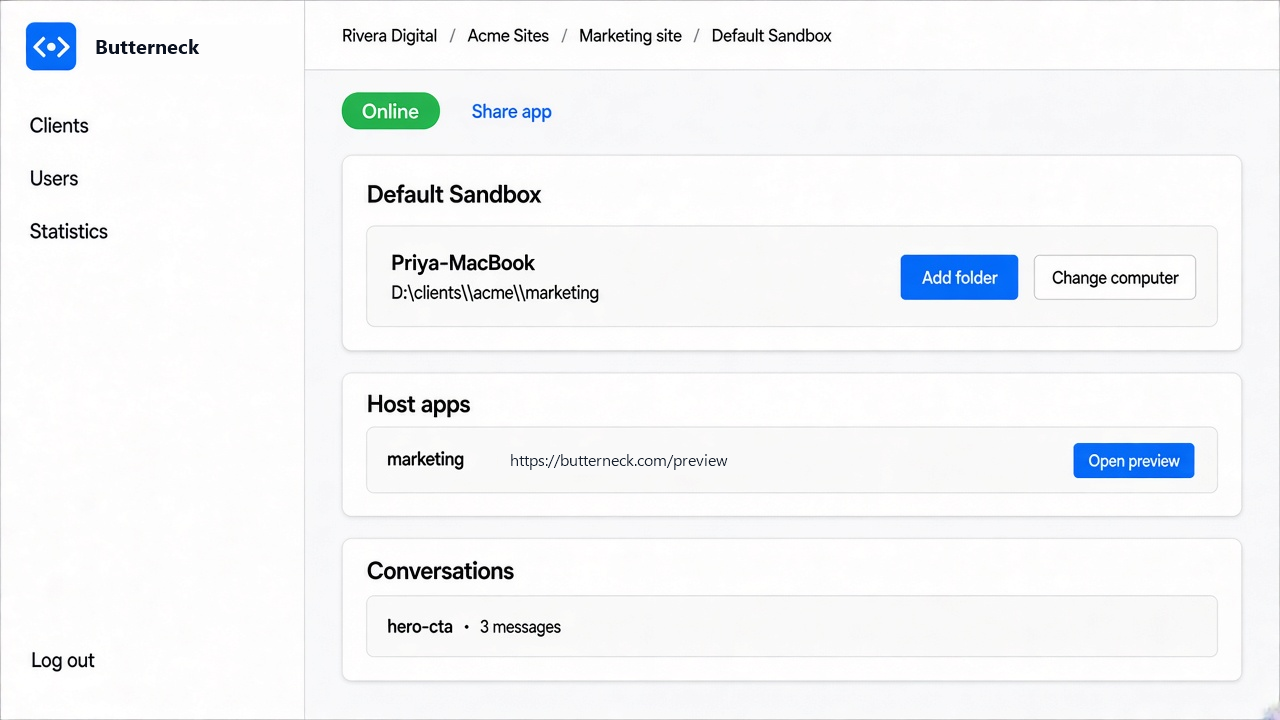
1. Connect the computer that already has the project
A developer creates a workspace and installs a small connector, called the bridge, on a computer that already has the project. That computer needs Node.js 22 or newer and a coding assistant that is already signed in: Cursor, Claude Code, or Antigravity. The bridge is paired to the workspace with a code from the admin screen.
You point it at the project folder. It can start the app for you and find the port it runs on.
2. Every running app gets a share link
Once the app is running, it gets a public link. Anyone you send it to opens the real app, served from your computer. No deploy, no VPN, and nobody has to know what localhost means.
Some details matter more than they sound:
- Hot reload keeps working. The preview passes through the dev server's live-reload connection, so when a file changes, the person looking sees it update.
- Streaming responses and file downloads work. Event streams pass through, and so do binary files such as office documents.
- Looking does not need an account. Someone can open the preview without signing up.
3. You choose who can ask
Opening the preview and asking for a change are two different things. You decide whose messages start the AI: a list of people, or anyone with the link. If the link is closed, a visitor can ask for access, and you allow it or decline it.
A reply from a developer in the same chat does not trigger the AI. So you can answer a question without changing any files.
The feedback stays on the app
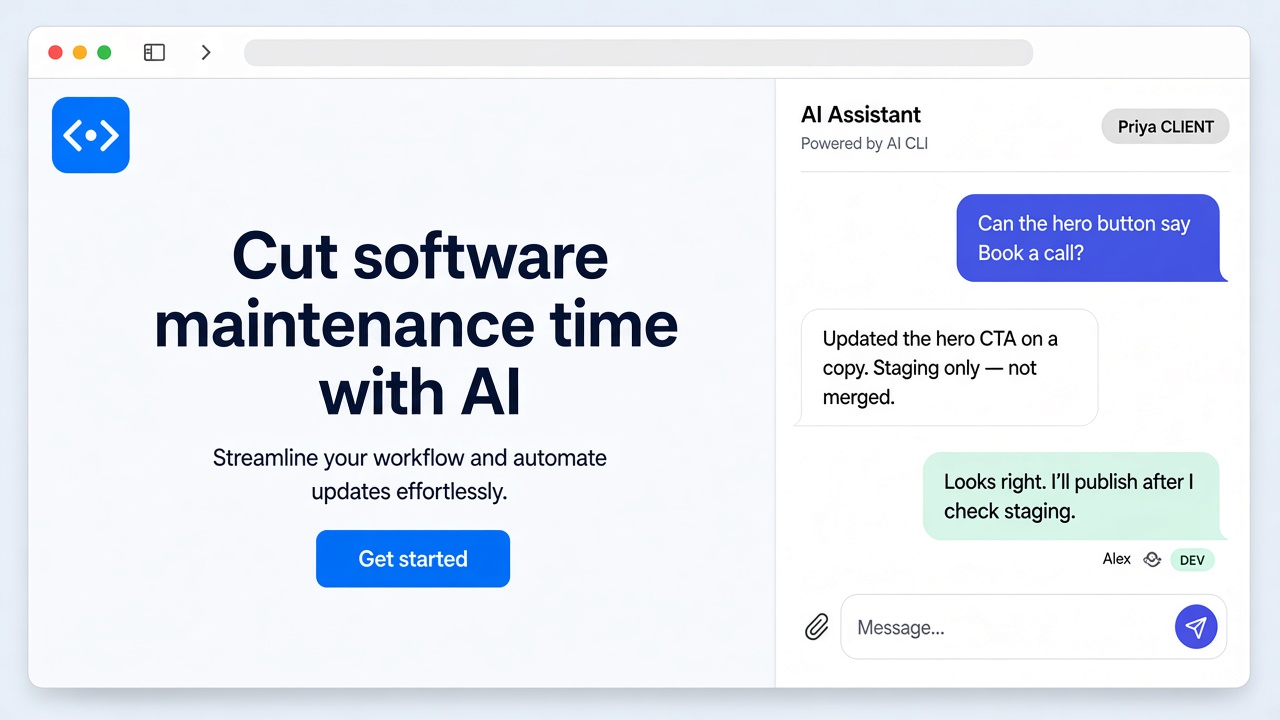
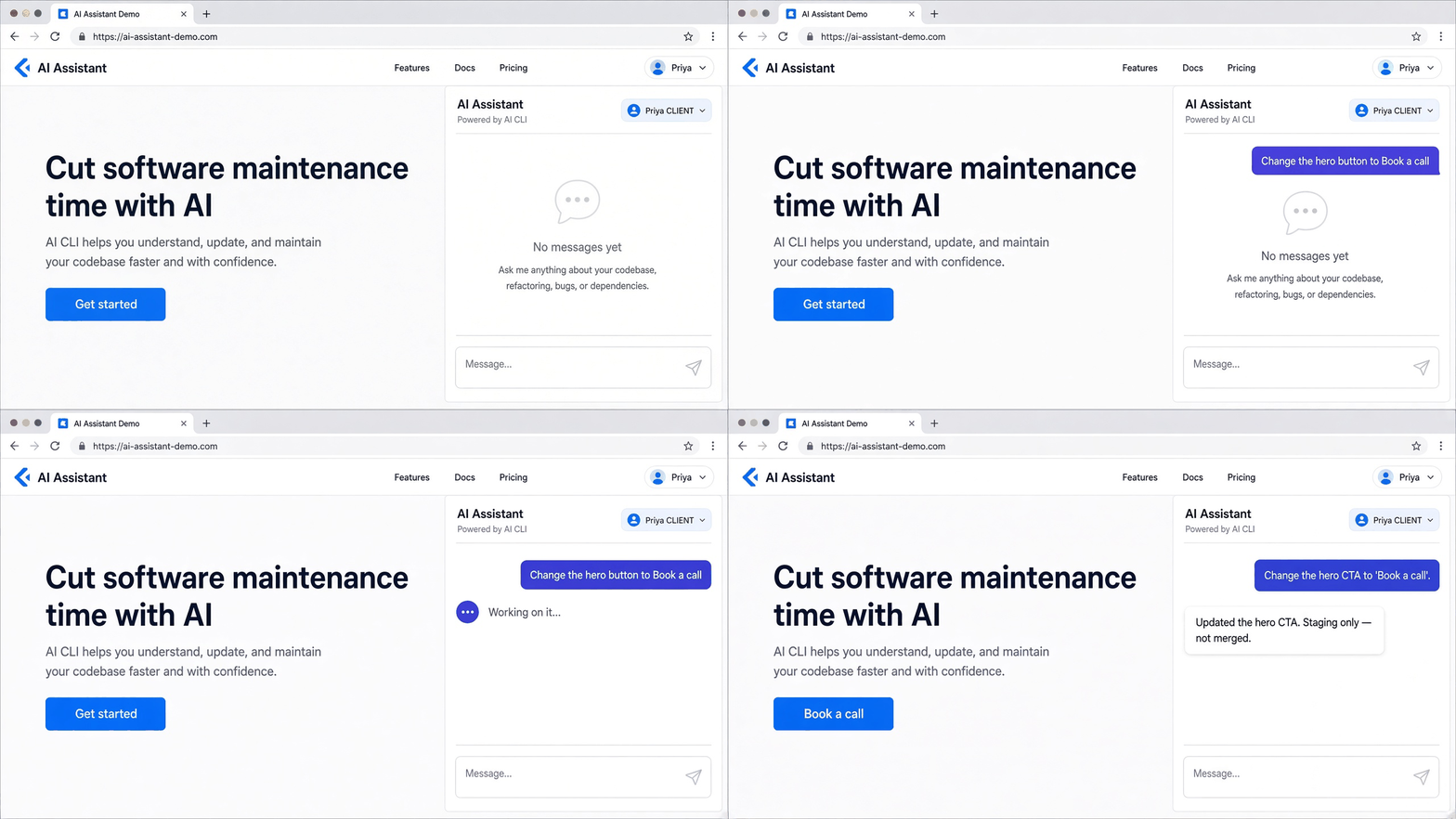
This is where sharing a local app becomes more than a tunnel. The Butterneck preview has a chat built in. The product manager types the change on the page they are looking at:
Make the button say "Book a call".
The coding assistant on the developer's computer reads the request and edits the project. Because hot reload is on, the change shows up in the same preview. The request, any screenshots, and the replies stay together on that live copy.
If your requests start in Jira instead, add the label butterneck to a ticket and assign it to someone whose computer has the project. Butterneck opens a private copy named after the ticket, and the title, description, comments, and attached files become the request. When the AI is done, a short note and a link to the preview go back on the ticket.
What stays on your computer
Sharing a local app is only comfortable if you know what the outside world can touch. With Butterneck:
- The AI edits only the folder you connected. You can block other paths with ignore rules.
- Secret settings files (
.env) are always off limits. - If a turn goes wrong, you can stop it and roll back that turn's file changes.
- Nothing is merged, no pull request is opened, and nothing is deployed. The change stays on the computer until someone on your team publishes it the way you already do.
That last point is the whole design. We wrote more about it in Human-in-the-loop AI coding: why Butterneck never merges.
When sharing a local app is the right call
It fits well when:
- The change is small and visual: copy, layout, a form field, a colour.
- The reviewer is not a developer and will not clone the project.
- You want feedback on the real thing, with real behaviour, before anything ships.
- Requests arrive as Jira tickets full of comments and files, and someone has to carry them to the project.
It is not the right tool when:
- You need a long-lived environment for load tests or QA sign-off. Use staging for that.
- Your team wants the AI to open pull requests or merge on its own. Butterneck does not do that.
- There is no local project folder at all, for example a team that works only in a cloud IDE.
A short checklist before you send the link
- Start the app through the bridge and open the share link yourself first.
- Decide who can ask: a named list, or anyone with the link.
- Check that the pages you want reviewed use test data, not real customer data.
- Send the link with one sentence on what to look at.
- When the change looks right, publish it the way you always do.
Try it
Starter is free for one developer and one person who asks for changes, with one private copy and 1 GB of preview traffic a month. Pro is per person per month and adds more copies, more traffic, and shared history. See pricing for the details, or read how it works on the home page.
The change is usually small. Getting the request to the project is what takes the week. A link to the app that's already running on your computer removes most of that.