
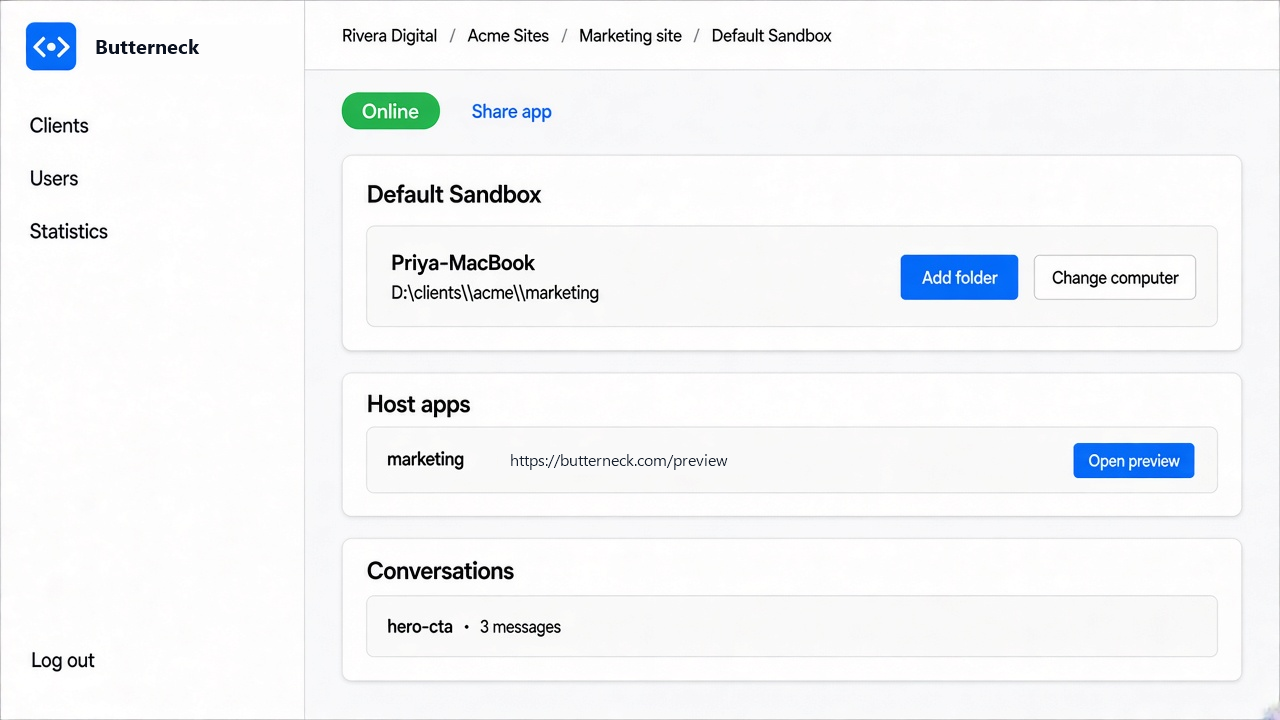
Butterneck lets a product manager ask for a change on a live copy of an app, and a coding agent makes the edit. The agent does not run on our servers. It runs on a developer's own computer, using the coding CLI that developer already has signed in: Cursor (agent), Claude Code (claude), or Antigravity (agy).
This post walks through how that works and what the guardrails actually are. Where a guardrail is a prompt instruction rather than a hard block, we say so.
The pieces
- The bridge. A small Node.js daemon (Node 22 or newer) that the developer pairs with their account. It watches the project folders the developer connects, starts the app, and keeps a WebSocket open to the Butterneck server.
- The chat server. Runs in-process with the bridge for each connected folder. When a request arrives, it builds a prompt and starts the coding CLI as a child process.
- The chat widget. A script embedded on the live preview, so the person asking types next to the screen they mean.
The coding CLI is invoked in non-interactive print mode, one turn at a time. For example, Cursor's agent is started with --print, --trust, --force, and --workspace <folder>. Claude Code gets --print and its own --system-prompt. Antigravity runs with --mode accept-edits and --add-dir <folder>.
Those flags matter. The CLIs run with their own permission prompts skipped, because nobody is at the terminal to click "allow". So the boundaries below are what keep a turn in its lane.
Isolation: one folder per request stream
Each private copy (we call it a sandbox) is tied to a folder on the developer's machine. The developer chooses it. It can be:
- an existing project folder,
- a fresh clone of a repository, or
- a git worktree named after the sandbox, created under
.worktrees/inside the chosen repo (the bridge adds.worktrees/to.gitignore).
Worktrees are the useful option when a team wants several requests in flight. Each one gets its own checkout and branch, and none of them touch the main working copy.
The agent's working directory is set to that folder. The system prompt includes a mandatory "File access boundaries" section: read and edit only inside the attached folders; never write, move, or delete anything outside them.
To be precise: that boundary is an instruction to the agent, plus the CLI's own workspace setting. It is not an OS-level sandbox like a container or a separate user account. The process runs as the developer.
Secrets: .env is always on the ignore list
There is a built-in ignore list that cannot be turned off:
.env.env.***/.env**/.env.*
Teams can add their own globs on top (for example config/secrets/ or *.pem). The bridge merges the two, drops anything absolute or containing .., and stores the result next to the sandbox data, not in your project.
The merged list goes into the system prompt: never touch these paths, and refuse the part of a request that needs them. The same matcher (isPathAllowed) is exported by the CLI package for checks in code.
Same caveat as above: the agent is told not to touch those files. If you need a hard guarantee, keep production secrets off the machine that runs the bridge. That is good practice anyway.
Every turn can be undone
Before a turn starts, the chat handler captures a baseline of the folder. In a git repo it uses git; otherwise it copies files (skipping node_modules, .git, build output, and very large files).
If the person asking or the developer stops the turn, the agent process is aborted and the files are put back to that baseline. A bad turn does not leave a half-edited project behind.
Never merges, never opens a PR, never deploys
There is no code path in the bridge or chat server that pushes, opens a pull request, merges, or deploys. The agent edits files in the folder. That's it.
The system prompt also tells the agent not to run production builds during a chat turn. The dev server is already running and hot-reloads the edit, and a production build can break the running preview.
What ships is up to the developer. They read the conversation, look at the running app, check the diff in their own tools, and commit and publish the way the team already does. Or they throw it away.
Preview links without a deploy
The bridge starts the app (it detects the dev command and the port) and the Butterneck server gives it a public share URL. Requests to that URL are relayed over the bridge's WebSocket to the app on the developer's machine. The relay handles hot-reload WebSockets, event streams, and binary files such as office documents.
So the person asking sees the change appear on the same screen they asked from, without a VPN, a staging deploy, or a localhost link. The developer controls who can send requests: a named list, or anyone with the link. Viewers do not need an account.
What leaves your machine
Worth being exact here, because "runs locally" is easy to over-read:
- Your source files are edited on your machine. Butterneck does not run its own model.
- The coding CLI sends prompts and code context to its own AI provider, the same as when you use it directly. That is governed by your agreement with Cursor, Anthropic, or Google.
- Preview traffic (the rendered app) passes through the Butterneck server so the share link works.
- Chat messages travel through the Butterneck server to reach the bridge.
Try it
Butterneck has a free Starter plan for one developer and one person asking for changes. If your team spends more time relaying small requests than making them, take a look at butterneck.com.