
Search for "Claude Code for product managers" or "Cursor for PMs" and most guides give the same advice: install the tool, clone the repo, learn enough git, and open pull requests yourself. For some product managers that is the right move. For many product teams it is not, and there is another way to get the same coding assistant working on a PM's request.
This post covers both. We make Butterneck, which takes the second route, so we are not neutral. We have tried to be clear about when a PM should just run Claude Code themselves.
The usual advice: give the PM a terminal
The typical guide goes like this. The PM gets access to the repository, installs Claude Code or Cursor, runs the project locally, asks the assistant for a change, and then commits it and opens a pull request for a developer to review.
That works. It also means the PM now owns a local development setup: dependencies, environment variables, a dev server, branches, merge conflicts. The developer still reviews the change, but now reviews a pull request from someone who may not be able to answer questions about the diff. We looked at that trade-off in more depth in should product managers ship code?.
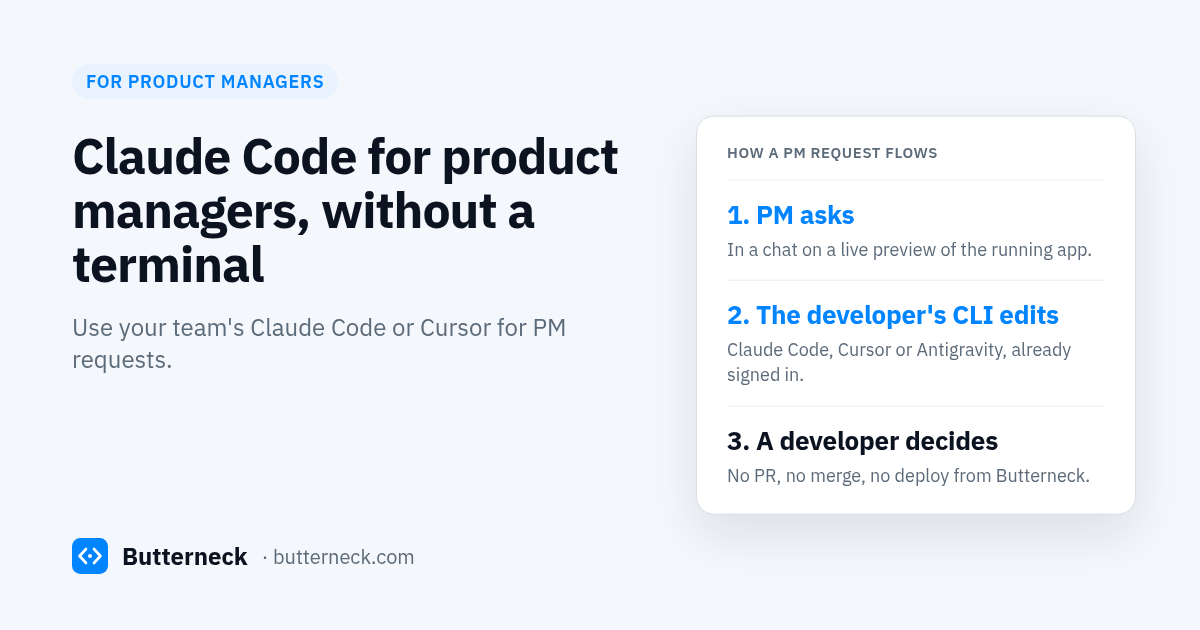
The other way: the PM asks, the developer's CLI does the work
Your team probably already has a coding assistant signed in on a developer's computer. Butterneck lets the rest of the product team use it, without a terminal and without a copy of the repo.
- A developer connects a computer that already has the project and a coding CLI signed in: Claude Code (
claude), Cursor's CLI (agent), or Antigravity (agy). - The app runs on that computer's dev server, and Butterneck gives it a share link. Preview traffic is relayed through Butterneck, so nobody needs a VPN, a deploy, or localhost access.
- The PM opens the link, sees the running app, and types the request into a chat next to the screen they mean. Or someone adds the label
butterneckto a Jira ticket and assigns it. See the Jira integration. - The CLI on the developer's computer edits the connected project. The preview updates on the same link.
- A developer reads the conversation, checks the change, and publishes it the way the team already does. Or throws it away.
Butterneck never opens a pull request, never merges, and never deploys. You decide what goes live.
How it works
- A developer installs the Butterneck connector on a computer with Node.js 22 or newer, a signed-in coding CLI, and the project folder.
- They point it at the project and start the app. Butterneck creates a live preview with a share link.
- They choose who can send requests: a list of people, or anyone with the link. People who only look need no account.
- The PM opens the link and asks for the change in plain words, on the page it is about.
- The coding CLI makes the edit in that folder, and the PM checks it on the preview. If it is wrong, the turn can be stopped and its file changes rolled back.
- A developer reviews the result and ships it through the normal process: commit, pull request, CI, deploy.
PM runs the CLI vs PM asks on a preview
| PM runs Claude Code or Cursor | PM asks on a Butterneck preview | |
|---|---|---|
| What the PM needs | Repo access, a local setup, a terminal, git basics | A browser and the share link |
| Whose AI subscription | A seat for the PM | The CLI signed in on the connected computer (under its plan's terms) |
| Where the change is checked | The PM's own local app | A live preview of the developer's running dev server |
| What comes out | A pull request from the PM | Edited files on the developer's computer; no PR |
| Who decides what ships | A developer reviewing the PR | A developer reviewing the change and the conversation |
| Good for | PMs who want to build and own changes | Small changes on a product that already runs |
When PMs should just use Claude Code themselves
Be honest about your team. Giving the PM their own coding assistant is often the better call when:
- The PM is comfortable in a terminal and with git, and wants to learn the codebase.
- They are prototyping something new, not changing a live product.
- The work is in a separate repo, a script, or an internal tool that no developer needs to approve.
- Your team already has a review process for PM-authored pull requests, and it works.
- No developer computer can stay on to run the project and the preview.
In those cases, a PM with their own Claude Code or Cursor seat is simpler than routing requests through someone else's setup.
What to know before you try this
- Your AI provider's terms apply. The coding CLI sends code context to its own provider, under that provider's terms. Butterneck does not run its own model.
- Not everything stays on the computer. Files are edited on the connected computer, but chat messages and preview traffic go through Butterneck.
- `.env` is a guardrail, not a hard block. Secret settings files are on an ignore list the AI is told to stay out of. That is an instruction, so keep production secrets off that computer.
- The AI stays in the folder you connected, and you can add ignore rules for paths it should not touch.
- The computer has to be on for the preview to load and for work to start.
If your team needs written rules for who can ask the AI for what, start from our AI change request policy template. For why we keep a developer at the last step, read human-in-the-loop AI coding.
What it costs
Starter is free for one developer and one person who asks for changes. Pro is USD 19 per person per month, billed monthly, with 20% off annual billing. Developers and people who request changes both count as seats; people who only open a share link to look do not. You keep paying for your own coding assistant subscription, on a plan that allows use on your team's behalf (see the note on plans and terms below). Details on pricing.
FAQ
Can product managers use Claude Code without a terminal?
Not on their own; Claude Code is a command-line tool. With Butterneck, the PM types the request in a chat on a live preview, and Claude Code runs on a developer's computer where it is already signed in.
Does each PM need their own Claude Code or Cursor subscription?
Butterneck uses the coding CLI that is already signed in on the connected computer: Claude Code, Cursor's agent CLI, or Antigravity. Each person who sends requests needs a Butterneck seat on Pro.
A note on plans and terms. Butterneck runs requests through the AI coding tool your developer is already signed into, so that tool's terms apply. The signed-in plan must allow use on your team's behalf. Personal and consumer plans (Claude Pro or Max, Cursor Pro, personal Google AI plans) may not. Anthropic's consumer terms, for example, say you "may not make your Account available to anyone else," and Claude Code's docs say Pro and Max limits "assume ordinary, individual usage." Team, Business or Enterprise plans, where each person has a seat, or an organization API key (Anthropic Console, Gemini API / Vertex AI) are the safer fit. Check your plan's terms or ask your vendor. This is not legal advice.
Does Butterneck open pull requests for the PM's change?
No. It edits files in the connected project and stops. A developer decides whether to commit it, open a pull request, or discard it. Butterneck never merges and never deploys.
Does my code stay on my machine?
The files are edited on the connected computer. But the coding CLI sends code context to its AI provider under that provider's terms, and chat and preview traffic are relayed through Butterneck.
Is there a free plan?
Yes. Starter is free for one developer and one person who asks for changes, with no card required.
Try it
If your PMs keep asking for small changes that sit in the backlog, book a 30-minute demo and we will run a real request on a live copy. Or see pricing and start on the free plan.